Appearance
Poedit Setup (EN)
This guide covers the fastest and most stable Poedit workflow for this asset.
Recommended Flow (Template-Based)
- In Unity, select translatable assets.
- Run
Tools/Hyper PO Localization/Extract Strings.- You can also trigger this from the Project window context menu (right-click):
Assets/Hyper PO Localization/Extract Strings. - Check the Unity Console for the extraction summary log (processed counts and manifest path).
- You can also trigger this from the Project window context menu (right-click):
- Run
Tools/Hyper PO Localization/Create POT. - Open:
Assets/StreamingAssets/Languages/<ProductName>.pot
- In Poedit, create a new translation from that POT.
- Save translation files as:
Assets/StreamingAssets/Languages/<language_code>.po- Example:
es_ES.po
At runtime, language files are loaded from StreamingAssets/Languages.
Updating Existing Languages
When strings change:
- Select the changed translatable asset(s), then run
Extract Strings. - Run
Update POT. - In Poedit, update each existing
.pofrom the new POT template. - Save all updated
.pofiles.
Poedit Project Settings Checklist
Verify:
- Charset is
UTF-8. - Plural forms are correct for the target language.
- Paths are valid for your project structure.
Optional Flow (Poedit Source Parsing)
If you want Poedit to parse generated source files directly:
- Folder:
Assets/HyperMegaPixel/POLocalization/Temp - File pattern:
*.php
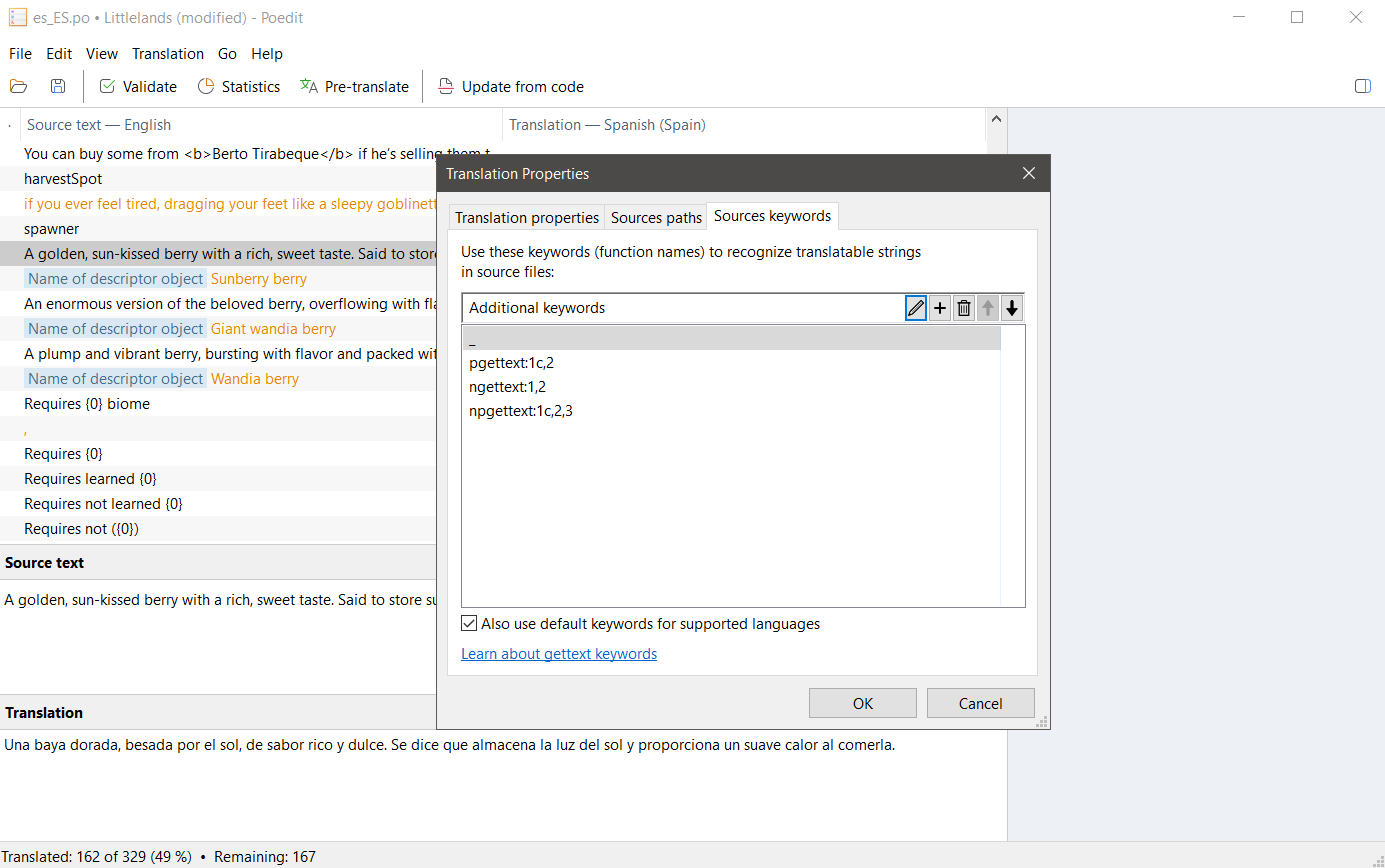
Keywords to configure in Poedit:
_pgettext:1c,2ngettext:1,2npgettext:1c,2,3
Alternative Flow (Scan C# Runtime Calls)
If you prefer Poedit to parse your C# runtime calls directly:
- Folder: your gameplay scripts folder(s)
- File pattern:
*.cs
Keywords to configure in Poedit:
GetString:1GetStringContext:1c,2GetPlural:1,2GetPluralContext:1c,2,3
Important:
- Prefer using a single source per Poedit project (C# scan or
Temp/*.phpscan). If keys are identical, gettext merges them, but mixed sources can still produce noisy references or near-duplicates when context/plural/escaping differ. - Static parsing only detects literal arguments. Example:
GetString("Quest Title")is detected, butGetString(dynamicKey)is not. - For dynamic keys that cannot be discovered statically, keep a
ManualTranslationsasset (Create/Hyper/Language/Manual Translations) and include those strings there.
Reference screenshot: Paths and Keywords
"Update from Code" Workflow (Poedit)
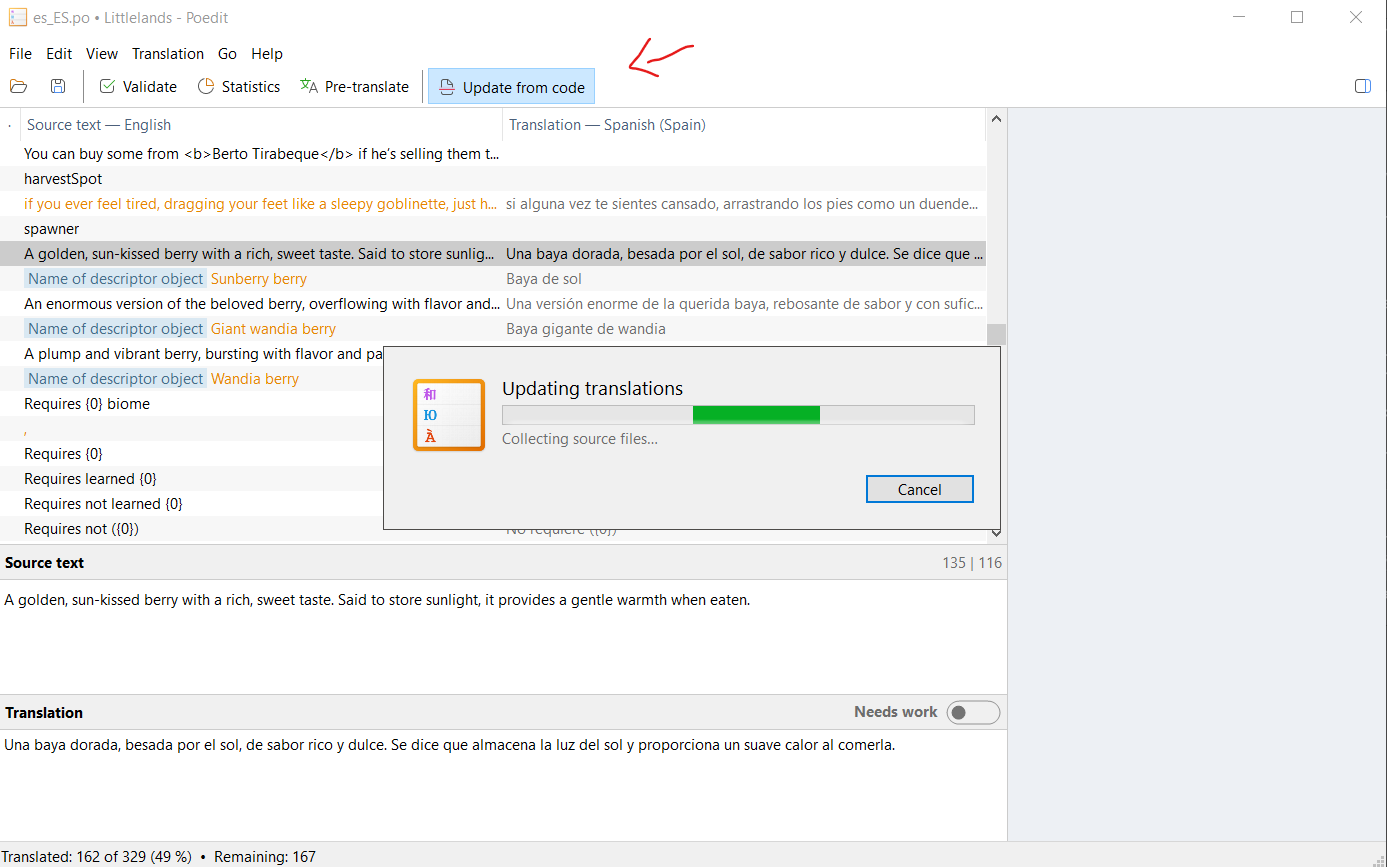
If you prefer the Poedit button Update from Code, use this sequence:
- In Unity, run
Tools/Hyper PO Localization/Extract Strings.- You can also trigger this from the Project window context menu (right-click):
Assets/Hyper PO Localization/Extract Strings. - Check the Unity Console for the extraction summary log before running
Update from Code.
- You can also trigger this from the Project window context menu (right-click):
- Open your target
.poin Poedit. - Click
Update from Code. - Make sure Poedit scans:
Assets/HyperMegaPixel/POLocalization/Temp- pattern
*.php
- Save the updated
.po.
Important:
Update from Codeonly sees strings currently present in generated.phpfiles.Extract Stringsis selection-based: it only exports strings from the currently selected Unity asset(s).- Always re-run
Extract Stringsbefore updating, otherwise Poedit can miss new keys. - If extraction settings changed (regex/types), regenerate first, then update from code.
Reference screenshot: Update from Code
Troubleshooting
HPO-016: active language folder not found.HPO-015: requested.pofile not found.- If POT looks outdated: run
Extract StringsbeforeCreate POT/Update POT.